


Choose your role as
Creator or Viewer
As a creator
01
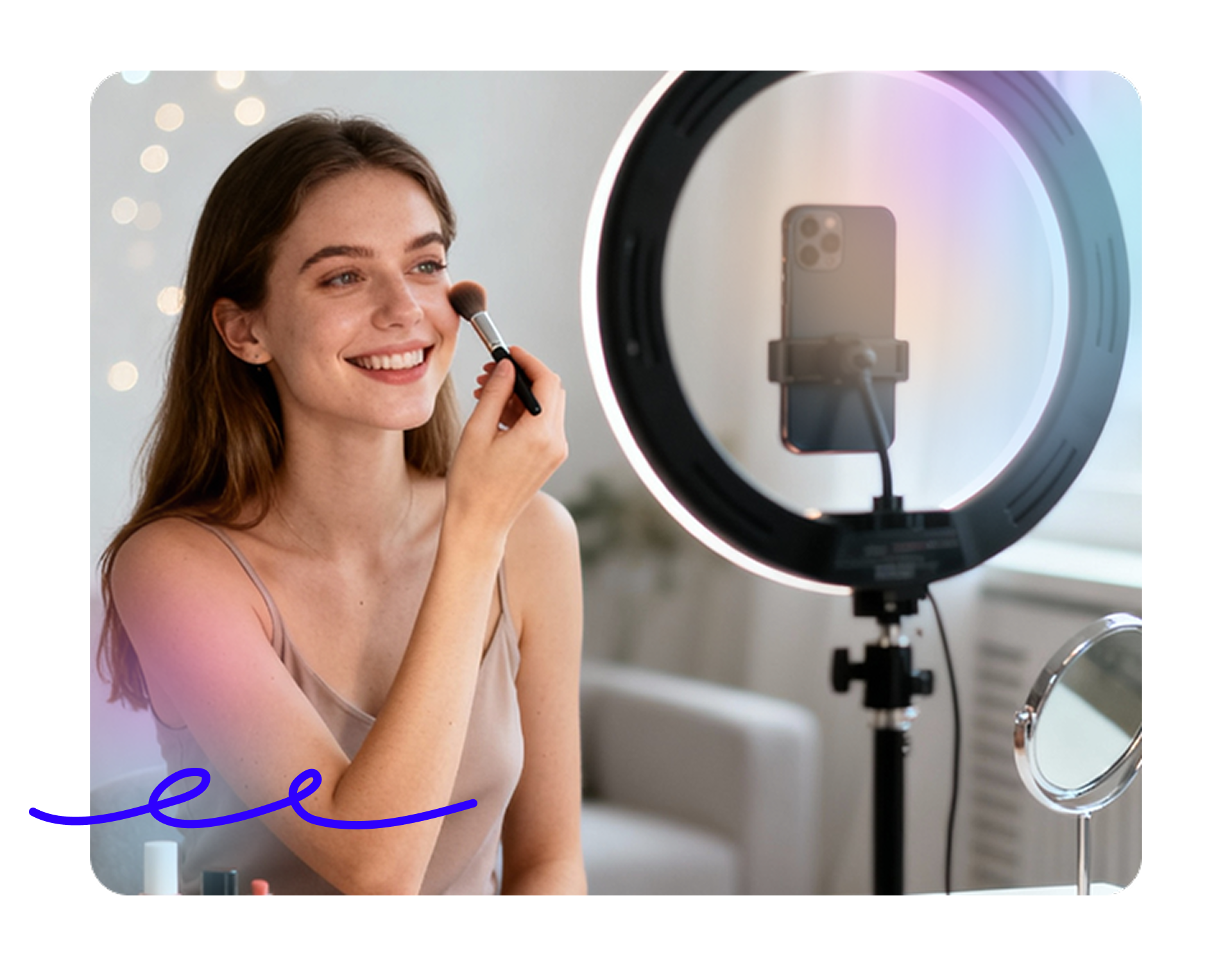
Share uniform content with video, image, audio or text including files and links. Adapt content live and answer community questions.


Launch in 2026
Say goodbye to messy reels, rushed shorts, and confusing tutorial instructions.
01
Share uniform content with video, image, audio or text including files and links. Adapt content live and answer community questions.

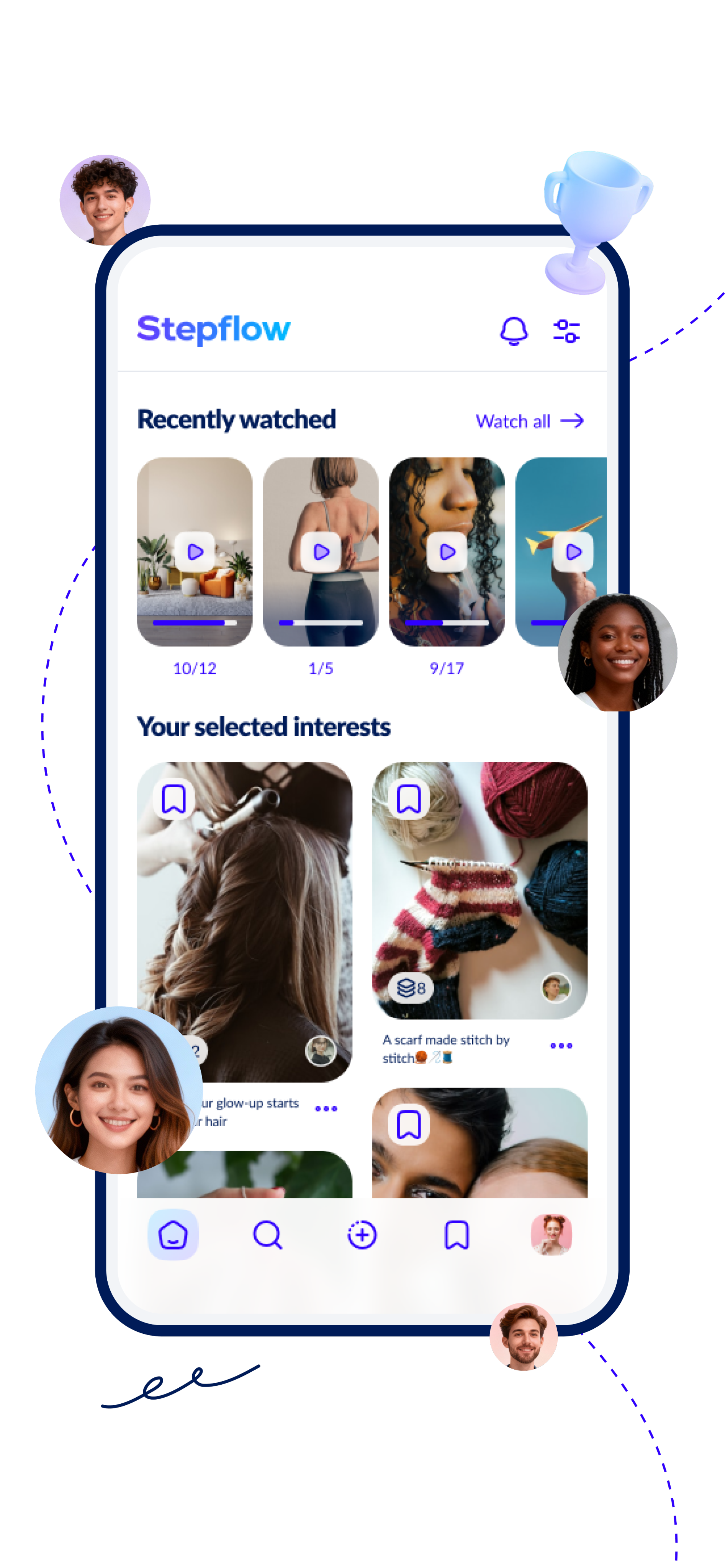
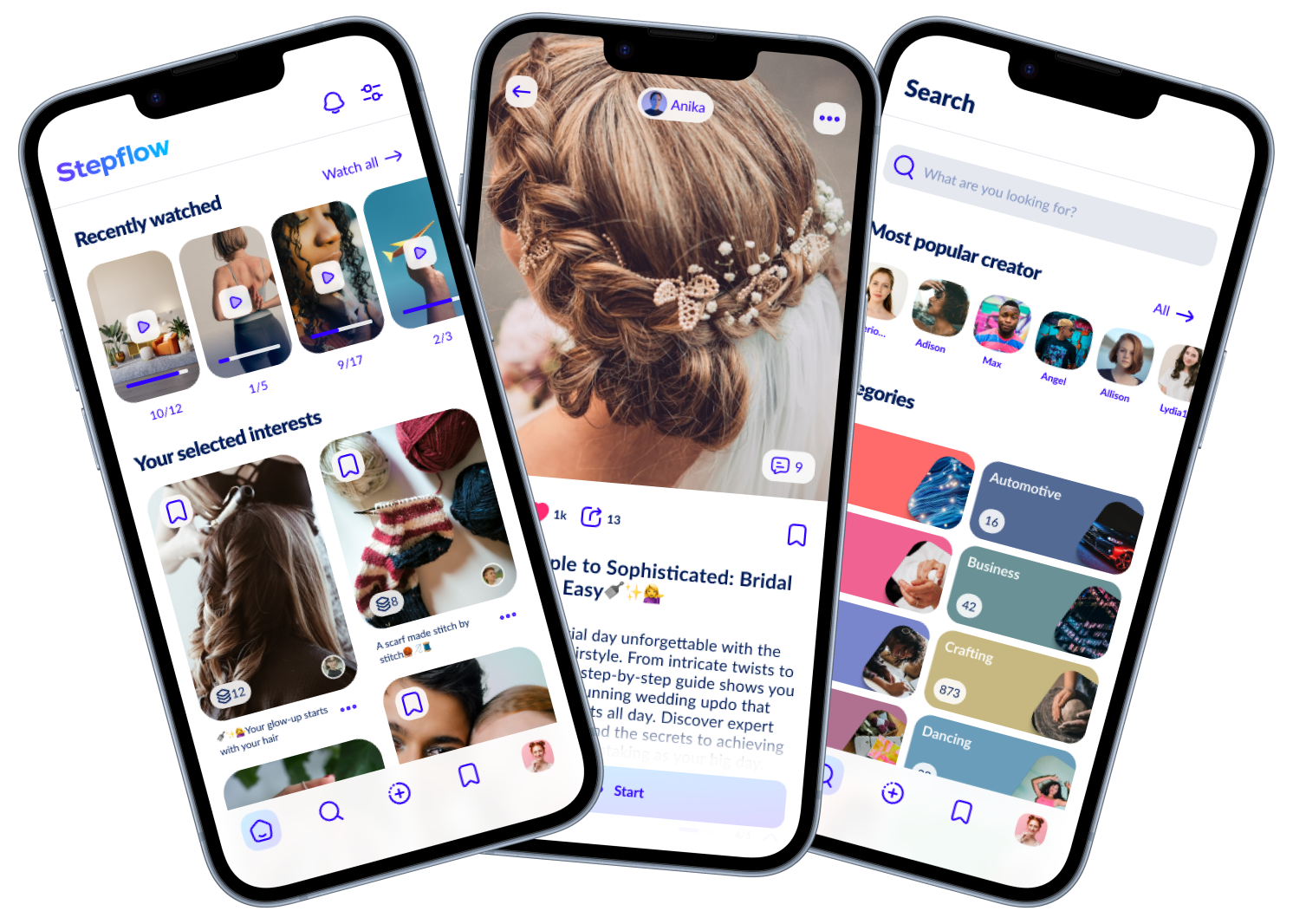
Your home feed is fully tailored to you. No algorithm decides what you see, you’re in control. Choose your categories and decide whether content from creators you follow appears. Get exactly what matters to you.

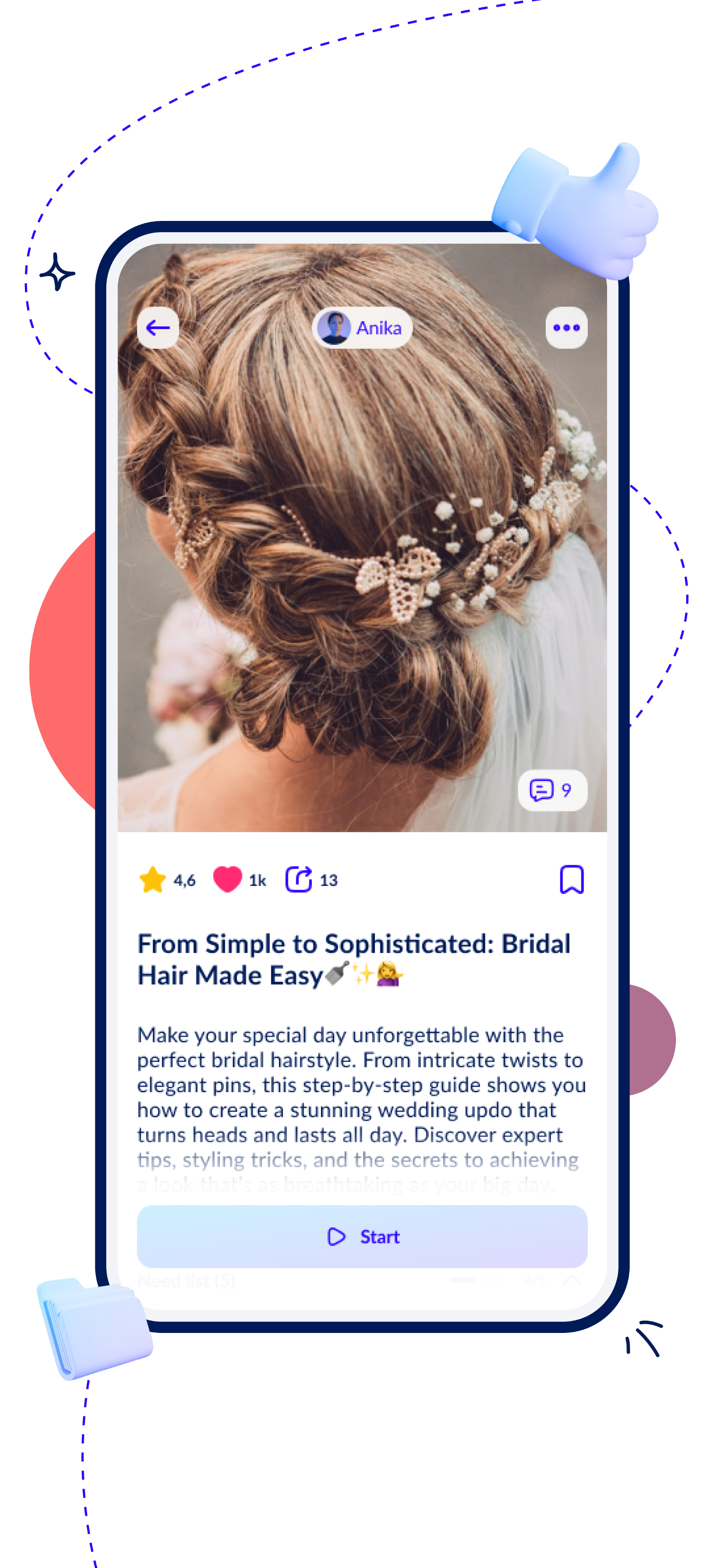
Everything at a glance. See what you need, track your progress, and navigate all flows and their chapters in a clear, structured directory. Access links and attachments anytime and stay in full control.

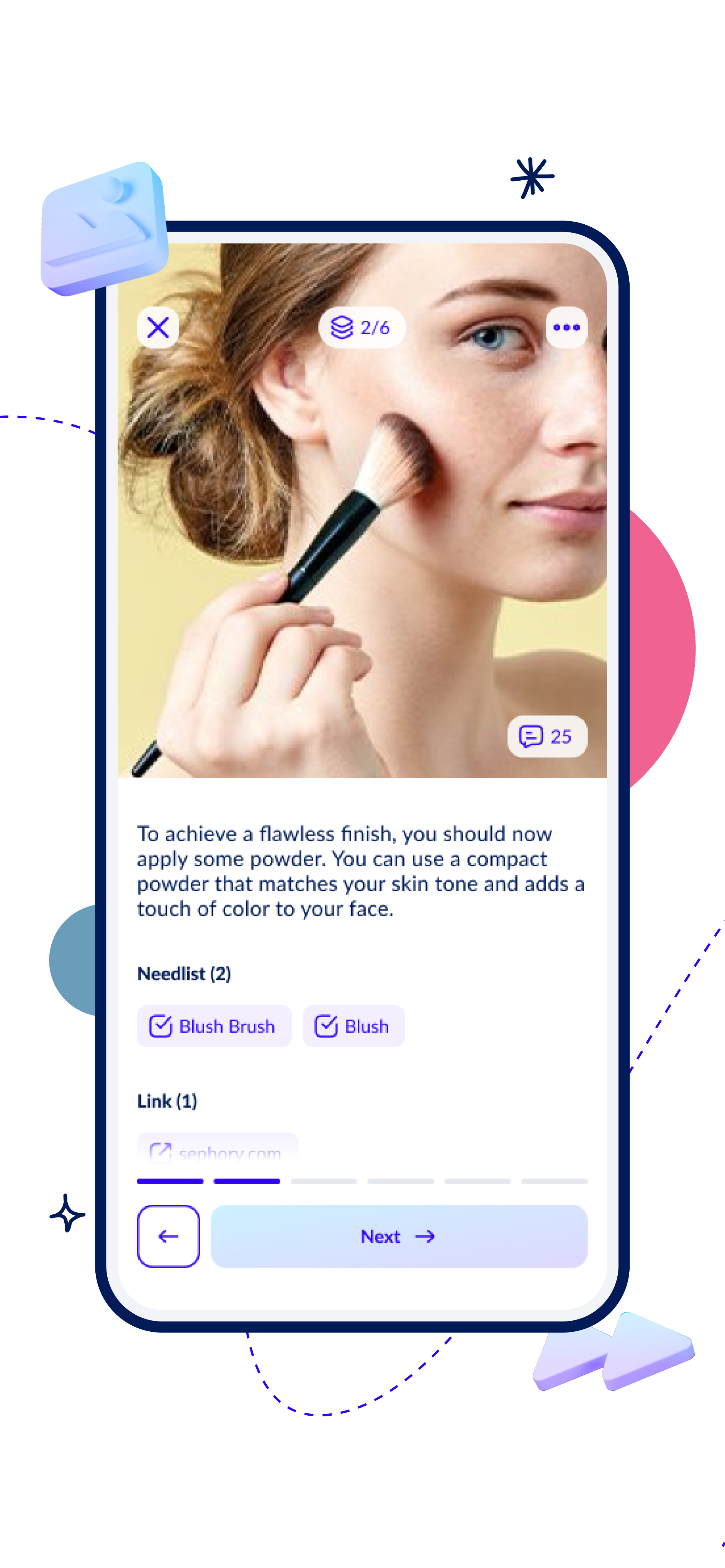
Follow content step by step. Each step features text, images, audio, or videos on loop, along with all the necessary items, links, and documents. Ask the creator or community for help anytime.

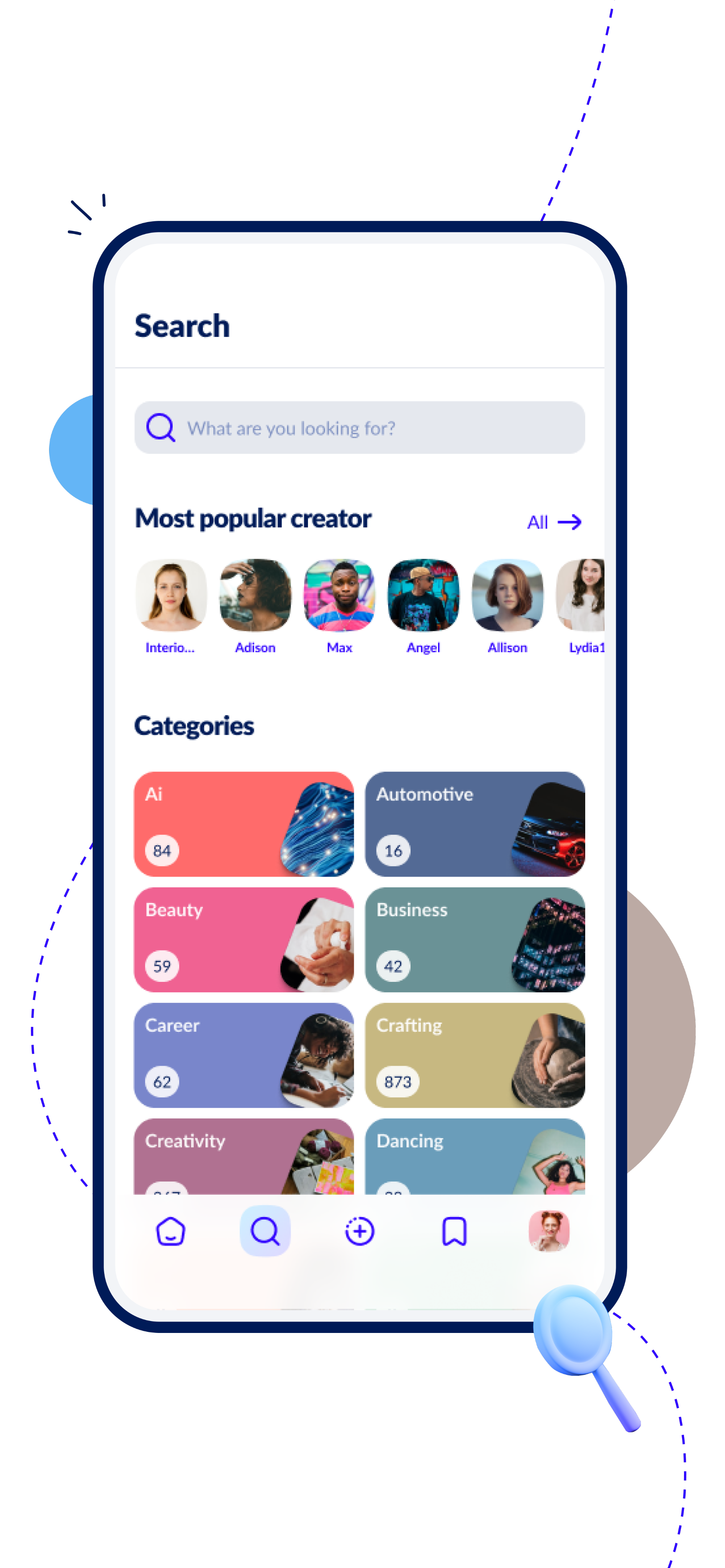
Find users, collections, or flows in no time and explore all users in a clear, structured directory that you can follow directly. Browse categories or individual flows within categories and discover exactly what interests you.
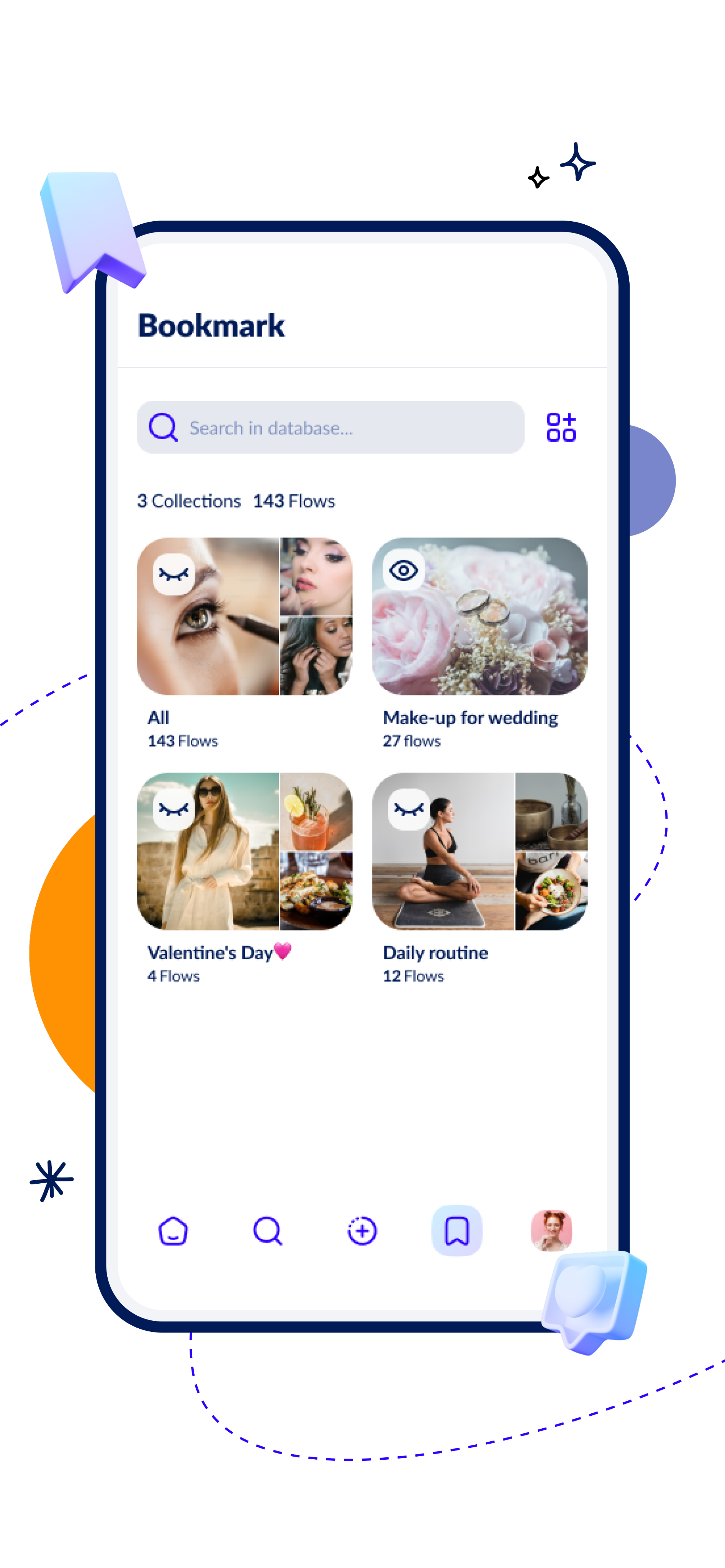
Keep your bookmarks private or share them with other users. Organize them into collections for easy, instant access whenever you need.
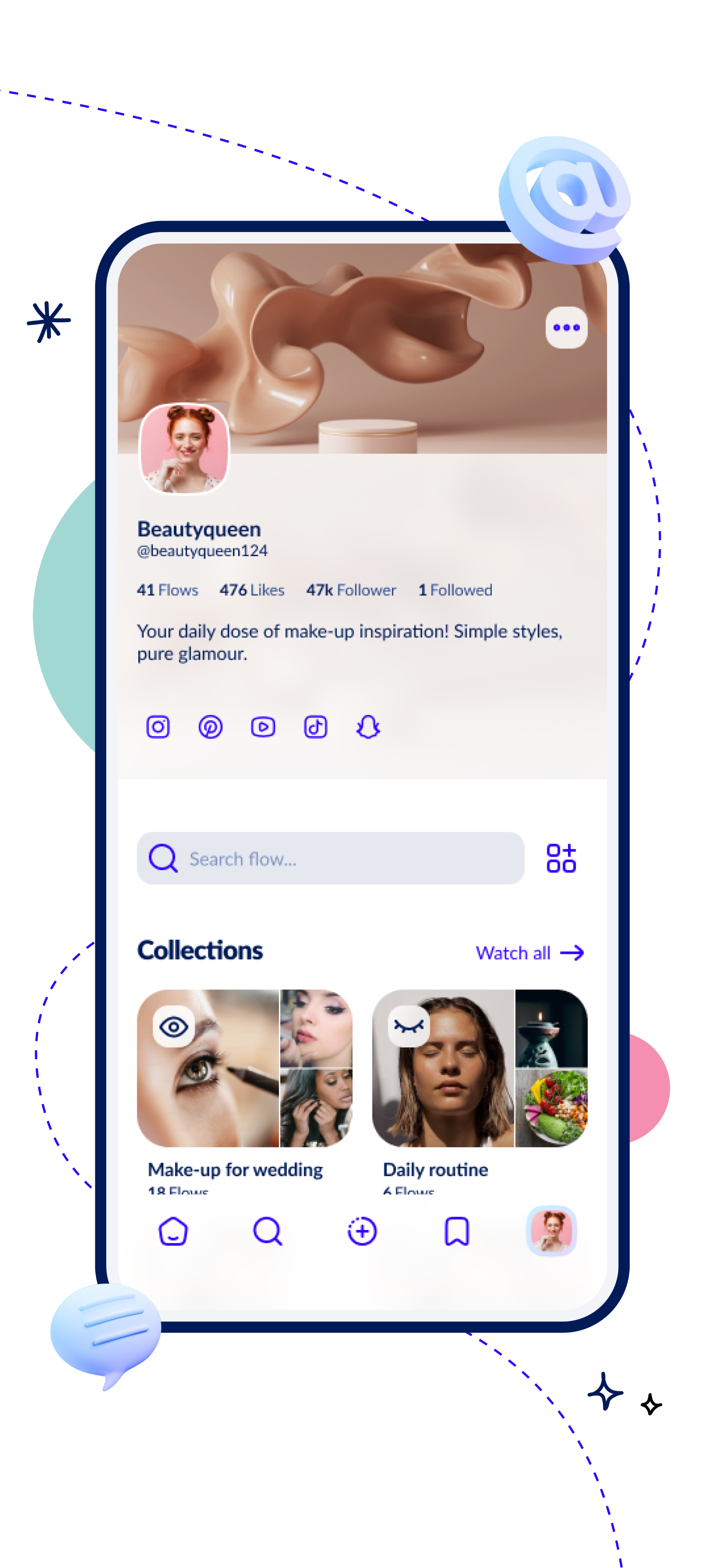
Organize your flows, share them privately or publicly and curate them in collections for yourself or the community. Link your other accounts and make your profile your personal hub. Customize your profile’s look with a banner, picture and description.
Videos give you a clear advantage by visually explaining complex processes and procedures in a way that’s easy to understand.
Use the photo upload feature to document tasks with your own images and easily keep a clear record of each step.

Describe each step with the text feature to provide clear instructions and notes that make tasks easy to follow.

Upload steps with the audio feature using voice recordings to clearly document tasks and keep track of your progress.
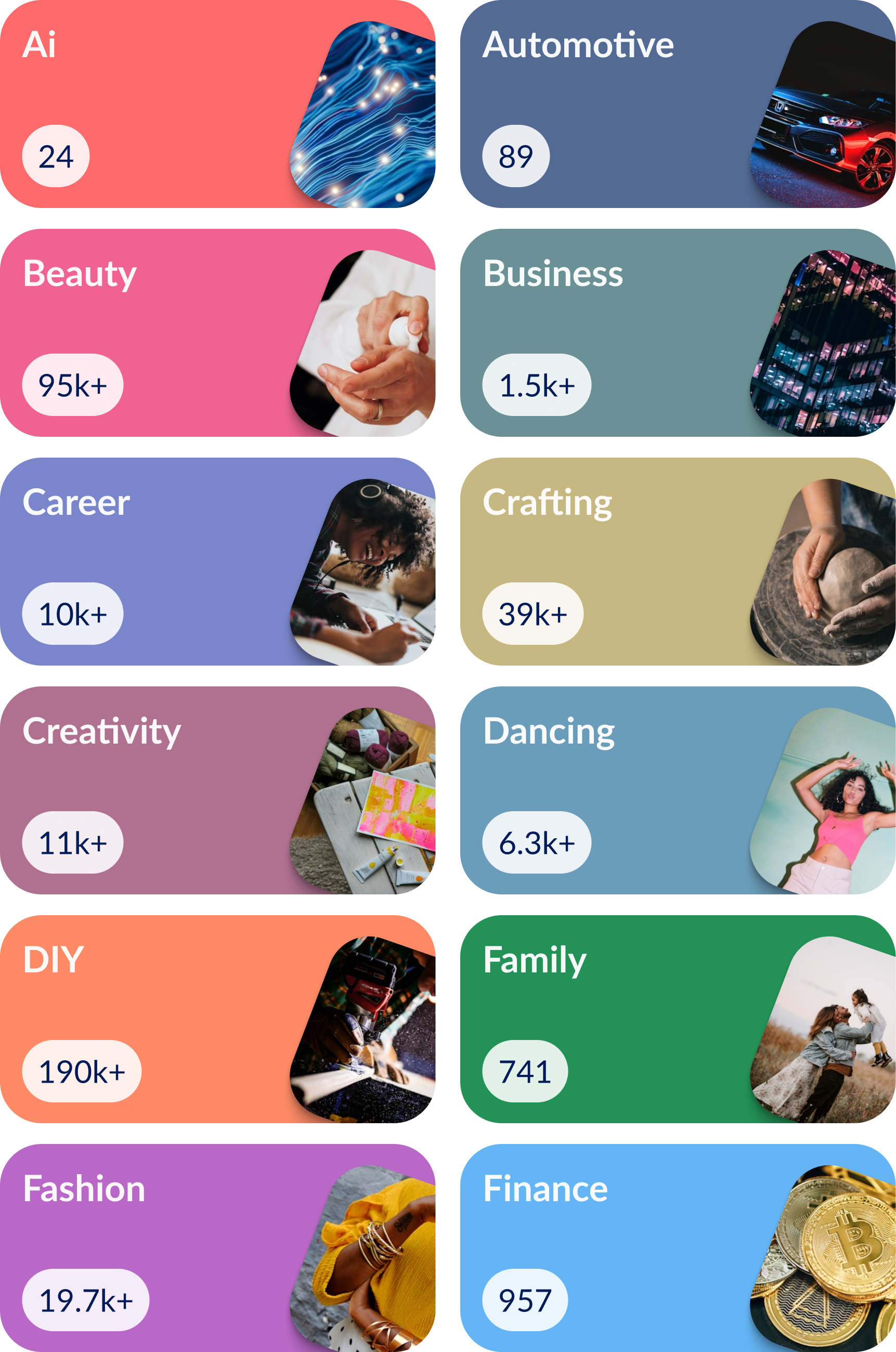
20+ categories

Free
For starters

Unlimited public flows

Unlimited public collections

Unlimited private flows
Unlimited private collections
Unlimited draft flows
Unlimited bookmarks
Content collaboration
Private profile
No ads
Supports our mission
Stepflow+
For power users
Unlimited public flows
Unlimited public collections

Unlimited private flows
Unlimited private collections
Unlimited draft flows
Unlimited bookmarks
Content collaboration
Private profile
No ads
Supports our mission

Launch in 2026
Say goodbye to messy reels, rushed shorts, and confusing tutorial instructions.
01
Share uniform content with video, image, audio or text including files and links. Adapt content live and answer community questions.
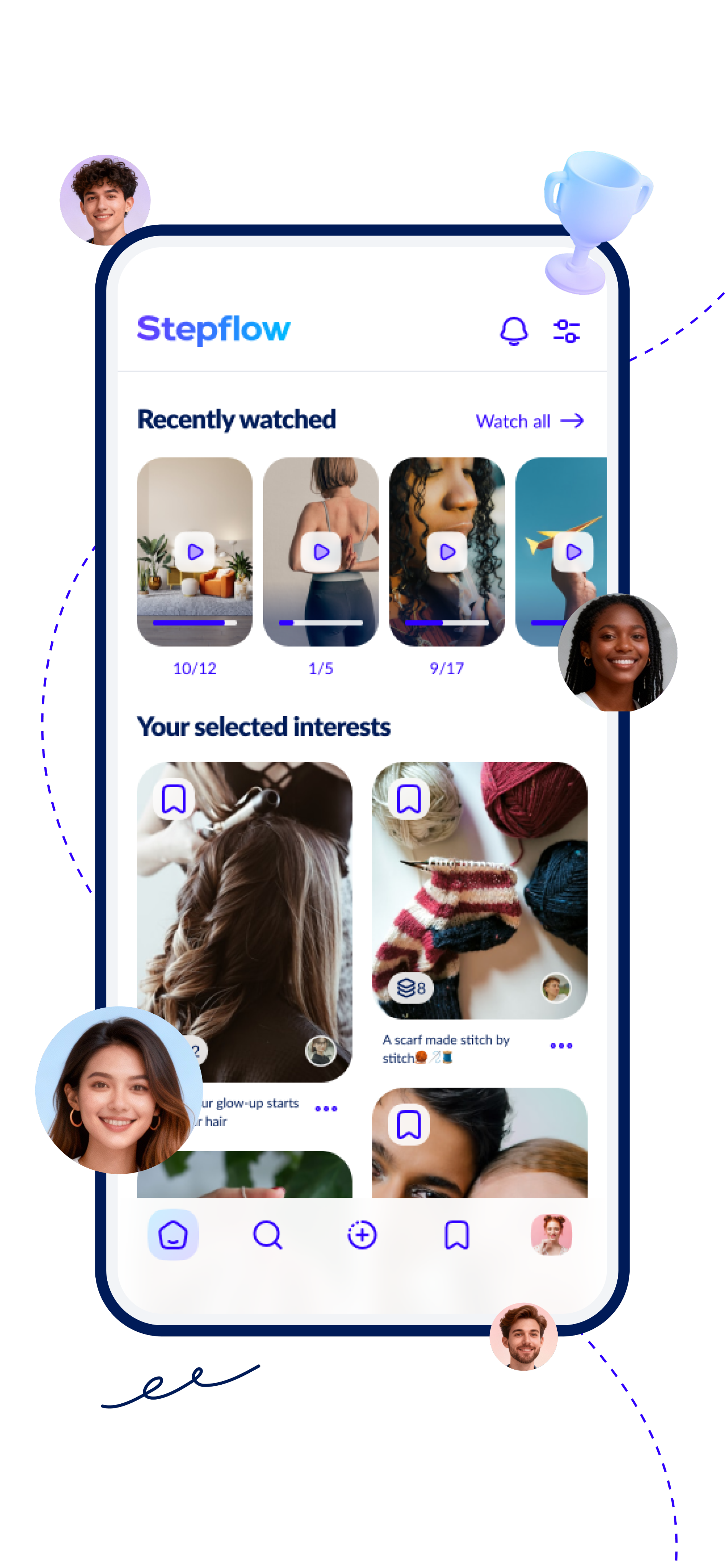
Your home feed is fully tailored to you. No algorithm decides what you see, you’re in control. Choose your categories and decide whether content from creators you follow appears. Get exactly what matters to you.
Everything at a glance. See what you need, track your progress, and navigate all flows and their chapters in a clear, structured directory. Access links and attachments anytime and stay in full control.
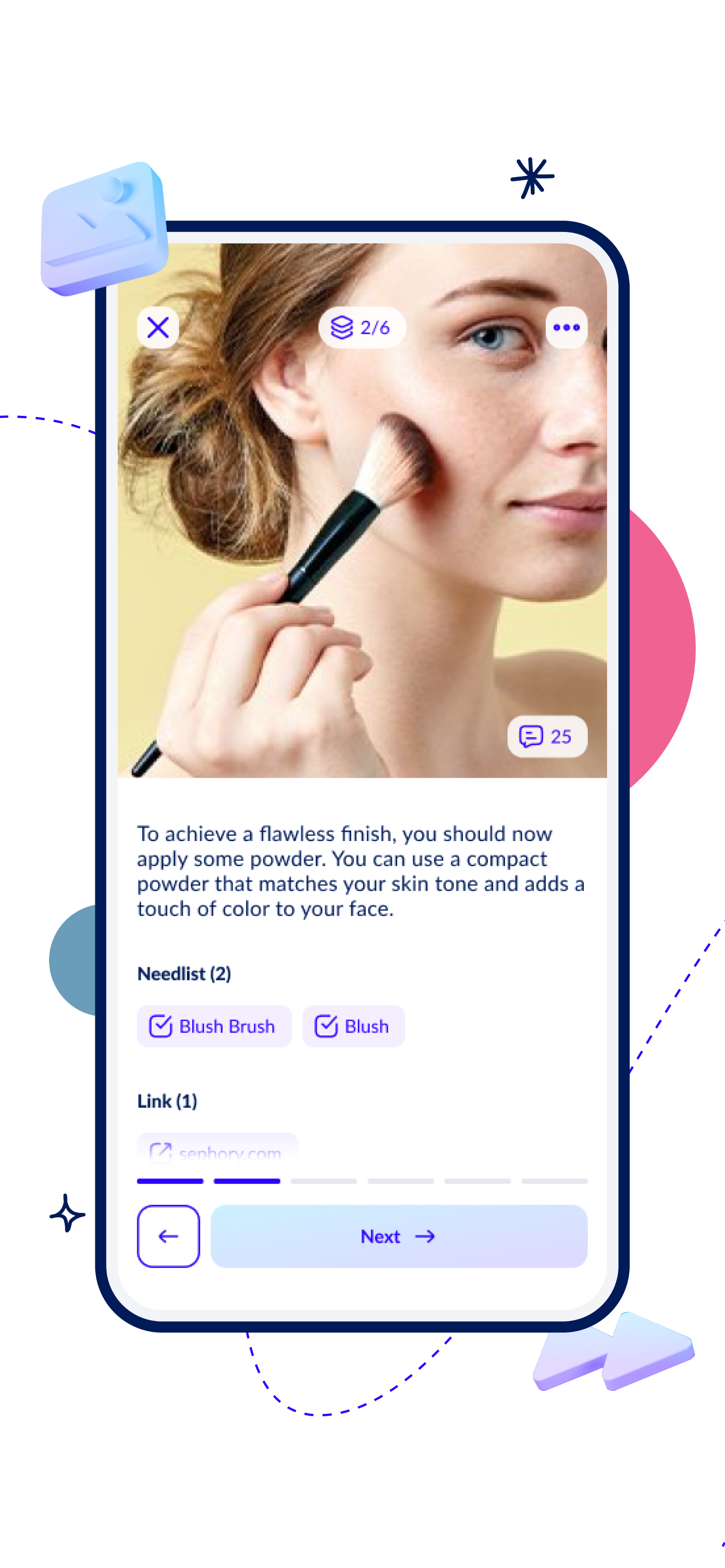
Follow content step by step. Each step features text, images, audio, or videos on loop, along with all the necessary items, links, and documents. Ask the creator or community for help anytime.
Find users, collections, or flows in no time and explore all users in a clear, structured directory that you can follow directly. Browse categories or individual flows within categories and discover exactly what interests you.
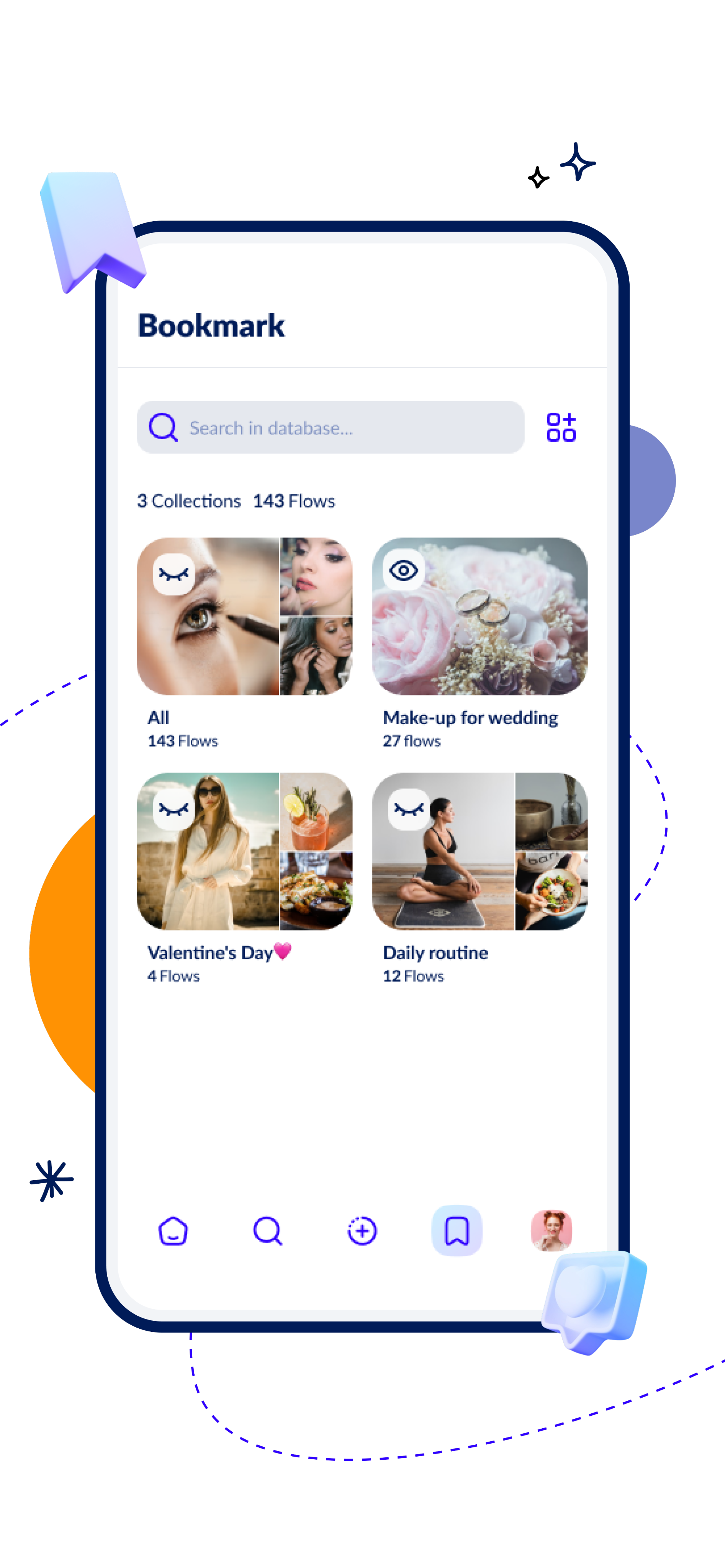
Keep your bookmarks private or share them with other users. Organize them into collections for easy, instant access whenever you need.
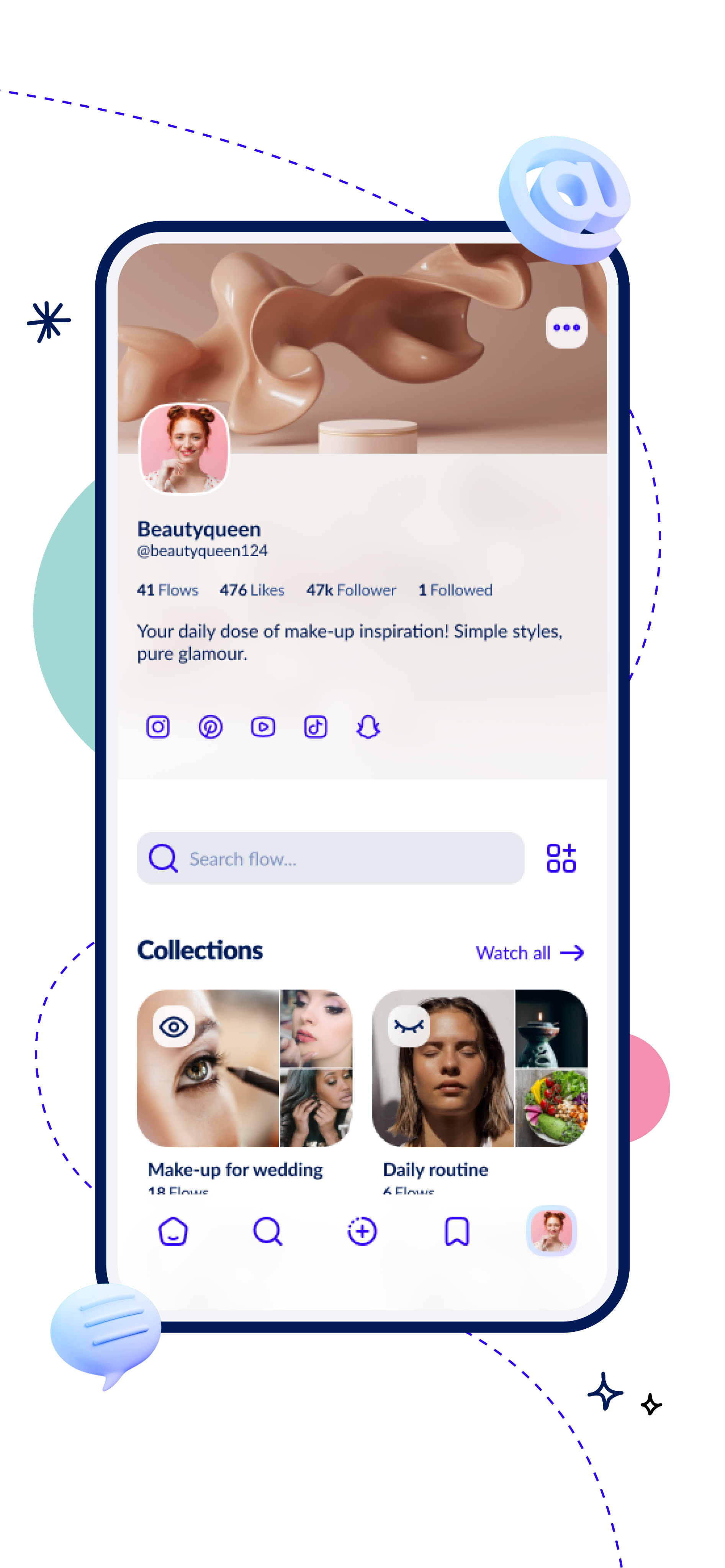
Organize your flows, share them privately or publicly and curate them in collections for yourself or the community. Link your other accounts and make your profile your personal hub. Customize your profile’s look with a banner, picture and description.
Videos give you a clear advantage by visually explaining complex processes and procedures in a way that’s easy to understand.
Use the photo upload feature to document tasks with your own images and easily keep a clear record of each step.
Describe each step with the text feature to provide clear instructions and notes that make tasks easy to follow.
Upload steps with the audio feature using voice recordings to clearly document tasks and keep track of your progress.
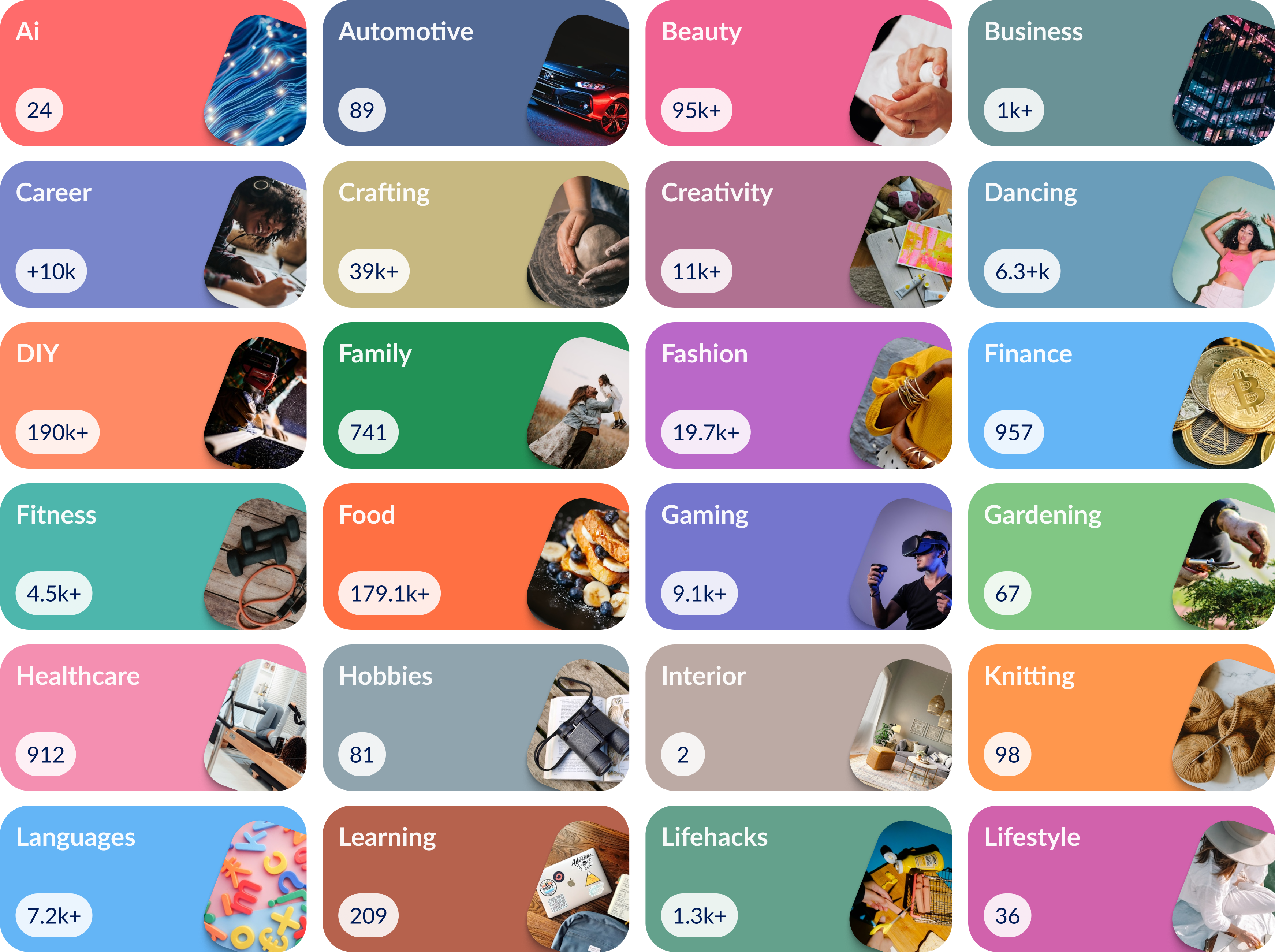
20+ categories

Free
For starters
Unlimited public flows
Unlimited public collections
Unlimited private flows
Unlimited private collections
Unlimited draft flows
Unlimited bookmarks
Content collaboration
Private profile
No ads
Supports our mission
Stepflow+
For power users
Unlimited public flows
Unlimited public collections
Unlimited private flows
Unlimited private collections
Unlimited draft flows
Unlimited bookmarks
Content collaboration
Private profile
No ads
Supports our mission


Launch in 2026
Say goodbye to messy reels, rushed shorts, and confusing tutorial instructions.
01
Share uniform content with video, image, audio or text including files and links. Adapt content live and answer community questions.

Your home feed is fully tailored to you. No algorithm decides what you see, you’re in control. Choose your categories and decide whether content from creators you follow appears. Get exactly what matters to you.

Everything at a glance. See what you need, track your progress, and navigate all flows and their chapters in a clear, structured directory. Access links and attachments anytime and stay in full control.
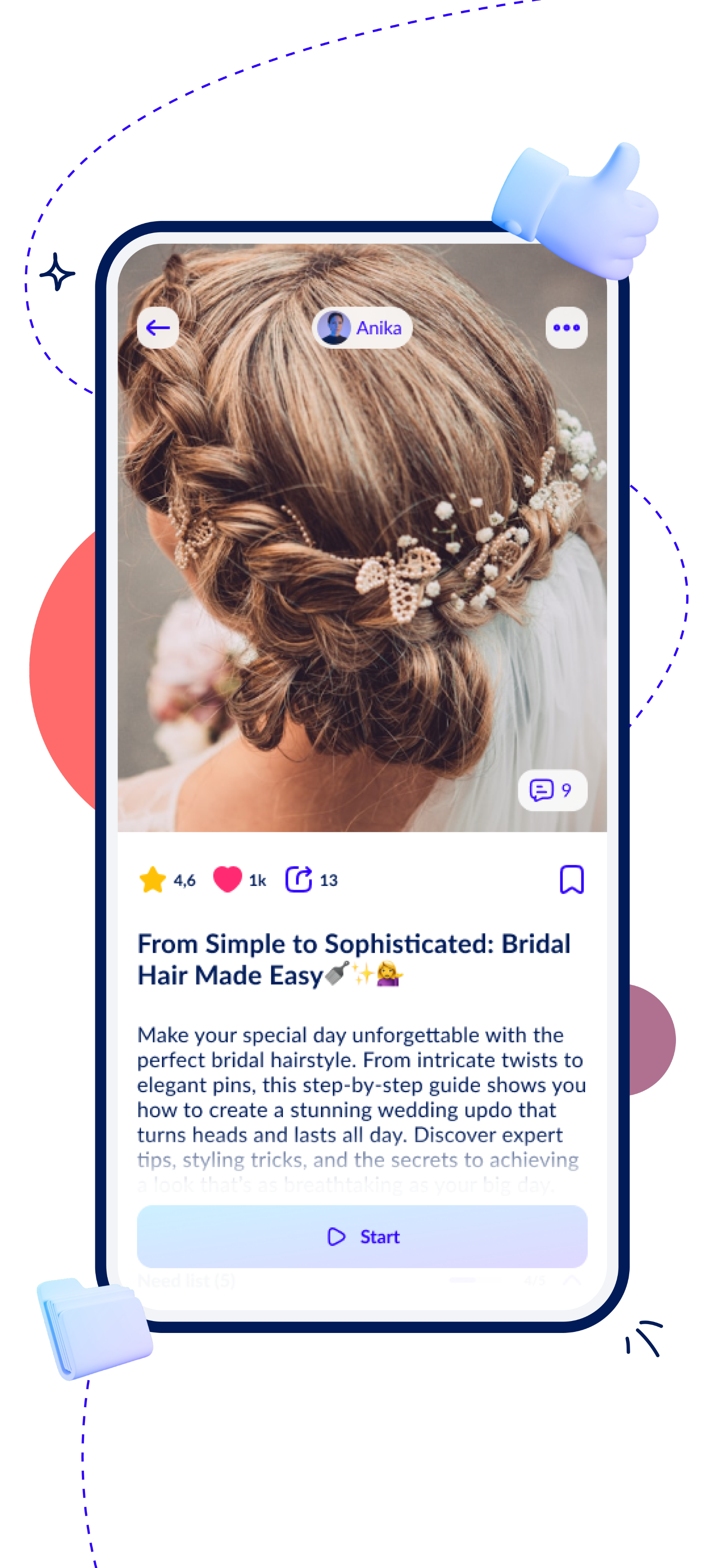

Follow content step by step. Each step features text, images, audio, or videos on loop, along with all the necessary items, links, and documents. Ask the creator or community for help anytime.

Find users, collections, or flows in no time and explore all users in a clear, structured directory that you can follow directly. Browse categories or individual flows within categories and discover exactly what interests you.
Keep your bookmarks private or share them with other users. Organize them into collections for easy, instant access whenever you need.
Organize your flows, share them privately or publicly and curate them in collections for yourself or the community. Link your other accounts and make your profile your personal hub. Customize your profile’s look with a banner, picture and description.
Videos give you a clear advantage by visually explaining complex processes and procedures in a way that’s easy to understand.
Use the photo upload feature to document tasks with your own images and easily keep a clear record of each step.
Upload steps with the audio feature using voice recordings to clearly document tasks and keep track of your progress.
Describe each step with the text feature to provide clear instructions and notes that make tasks easy to follow.
20+ categories
Free
For starters

Unlimited public flows

Unlimited public collections

Unlimited private flows
Unlimited private collections
Unlimited draft flows
Unlimited bookmarks
Content collaboration
Private profile
No ads
Supports our mission
Stepflow+
For power users
Unlimited public flows
Unlimited public collections

Unlimited private flows
Unlimited private collections
Unlimited draft flows
Unlimited bookmarks
Content collaboration
Private profile
No ads
Supports our mission